
What is a PNR in a Flight Reservation?
Real Airline PNR, Same-Day Delivery
- Real PNR
- Instant
- Embassy-Compliant
- Schengen, UK, US & More
- Thousands Served
The PNR (Passenger Name Record) is the six-character airline reference at the heart of every flight reservation. Here's what it is and why it matters for your visa application.
How It Works — Three Simple Steps
Our easy visa booking solution is designed to save you time without any confusion. Here’s what the process looks like from start to finish.
Place Your Order
Tell us your travel dates, destination, and visa type. No passport copies or airline payments needed at this stage.
We Prepare Your Documents
Our team creates your visa flight reservation and hotel booking confirmation — fully verifiable and formatted for embassy submission.
Receive & Submit
Your travel itinerary for your visa application lands in your inbox within minutes. Download, print, and attach to your application.
Sample Documents
See exactly what you receive — an example flight reservation, hotel reservation and visa cover letter.
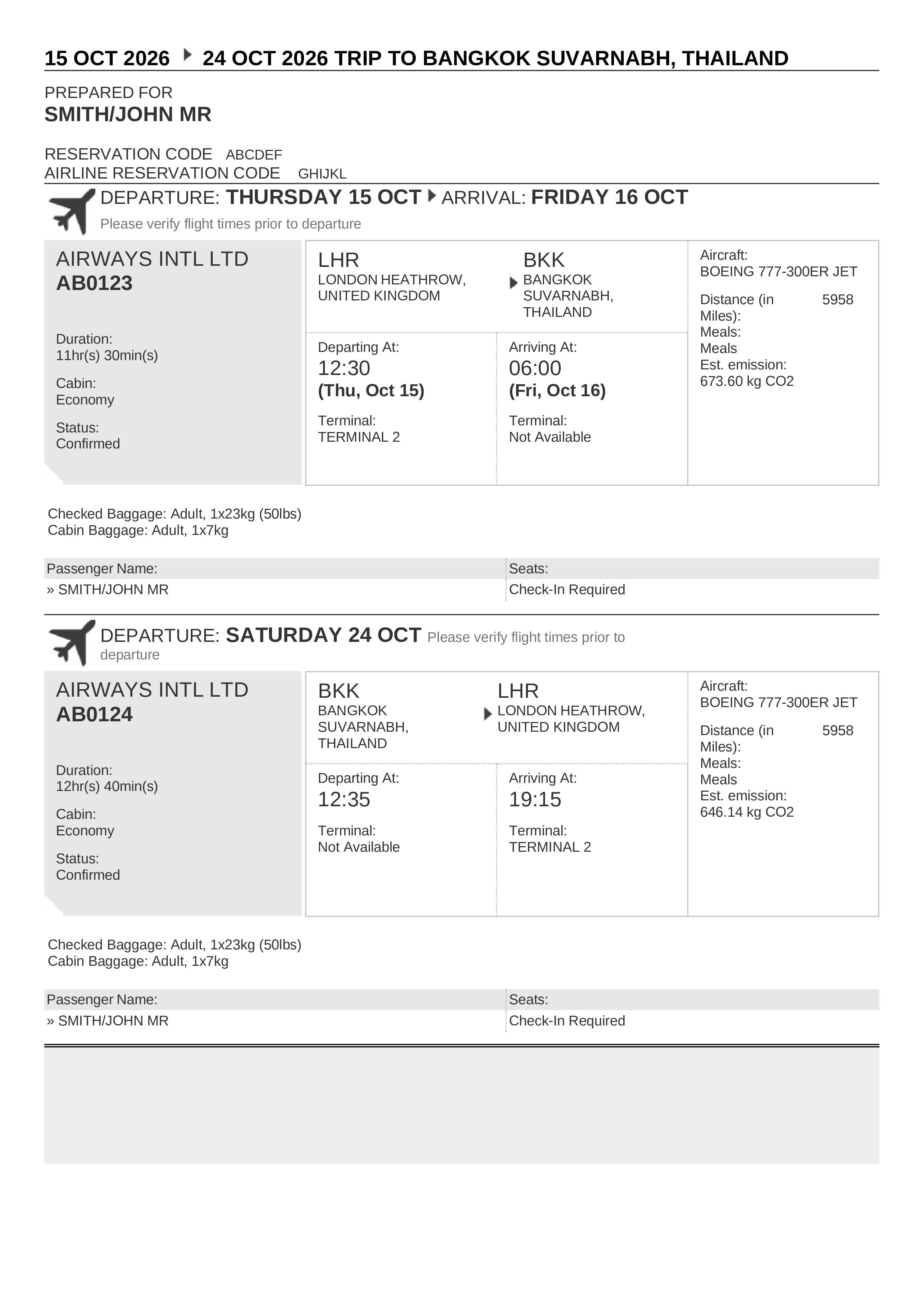
Flight Reservation Sample
A verifiable flight itinerary with a real airline PNR / booking reference — accepted by embassies as proof of onward travel.
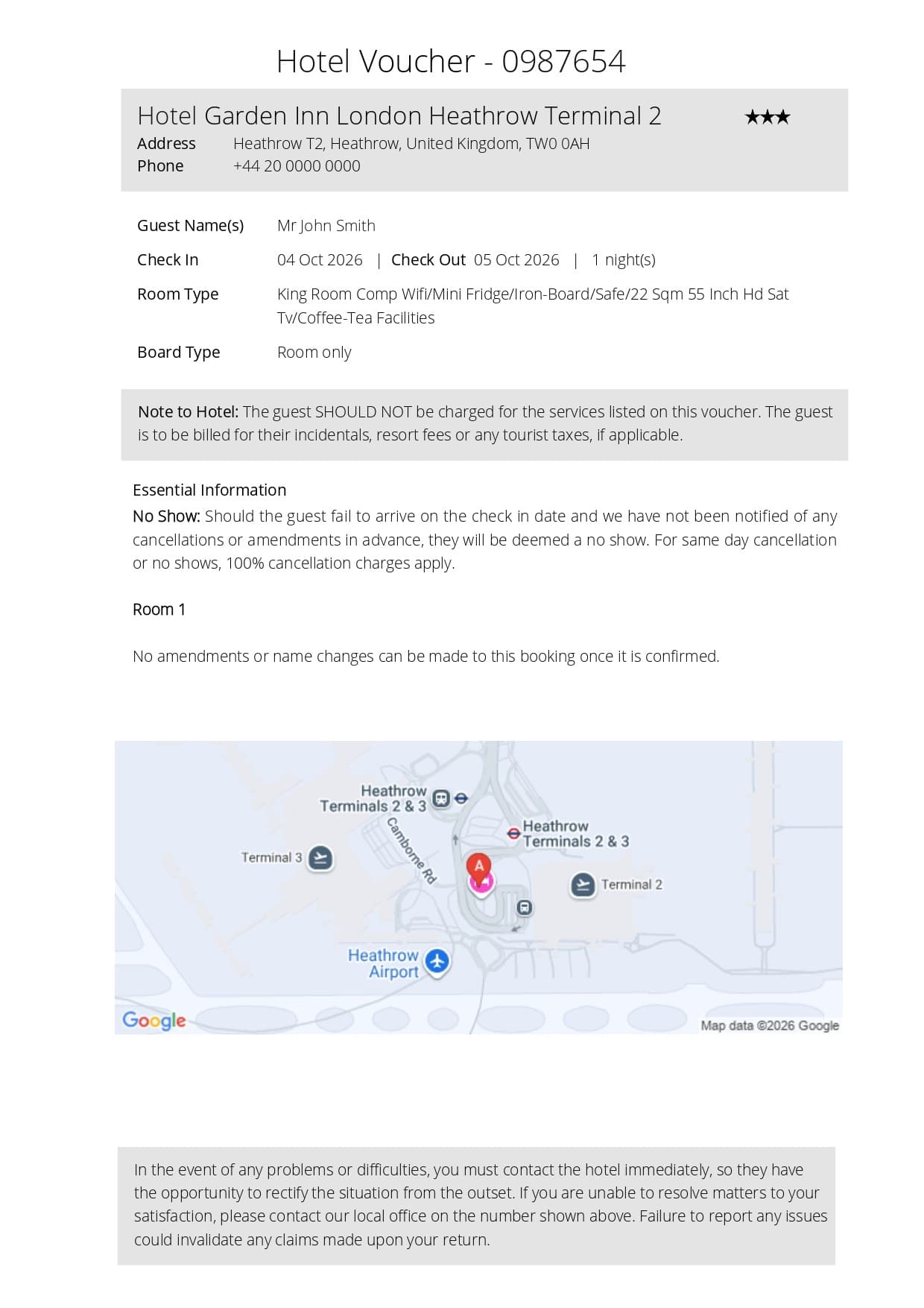
Hotel Reservation Sample
A confirmed hotel booking showing your stay dates, hotel details and a verifiable reference number for your application.
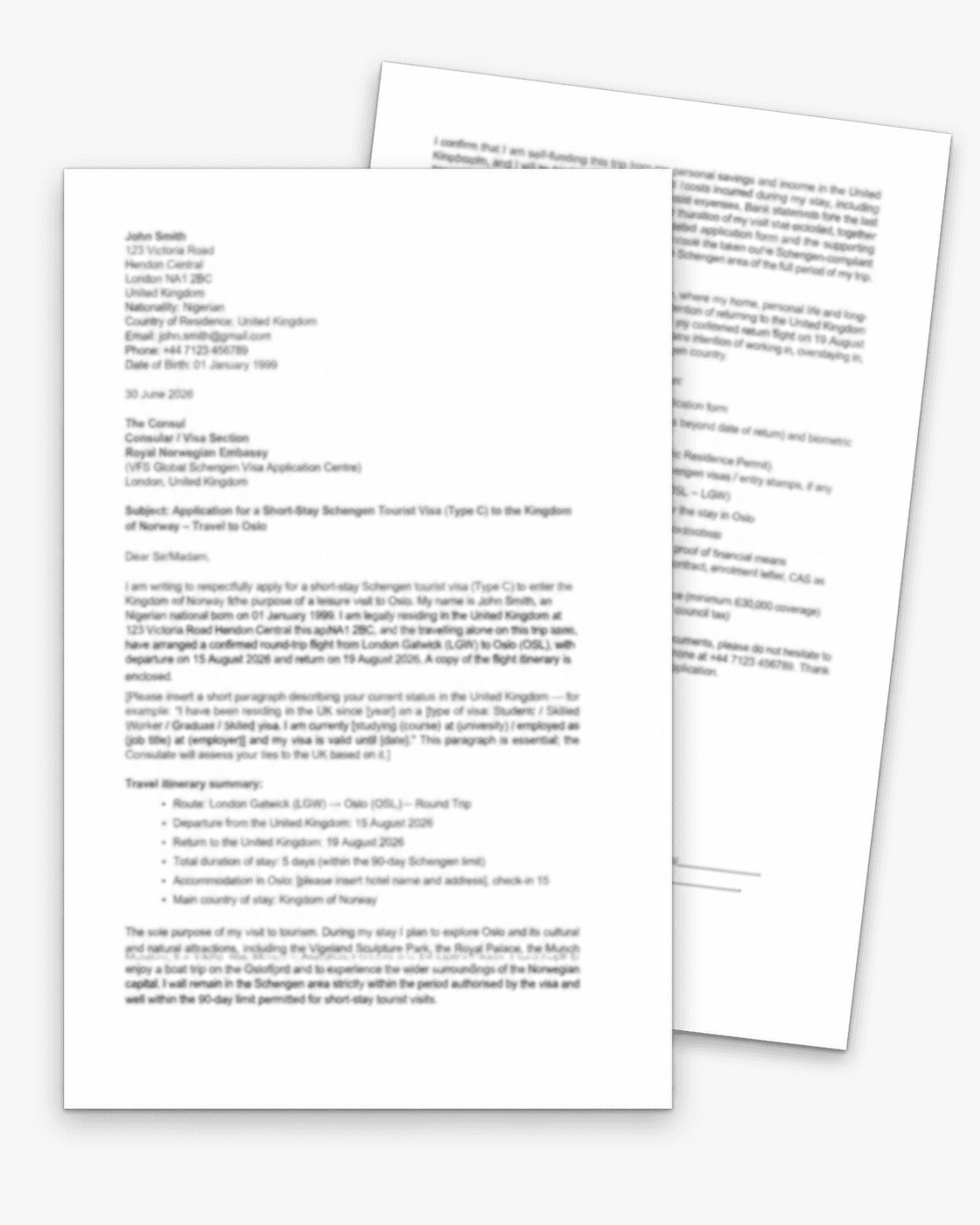
Cover Letter Sample
A professionally formatted cover letter you can submit alongside your visa application to explain your trip.
These are illustrative samples — personal details have been redacted. Your own documents are generated with your travel details and a genuine, verifiable reservation reference suitable for your visa application.
Choose Your Ticket Validity
Select the validity period that best suits your needs. All tickets include verifiable PNR codes and instant delivery.
Express — 48 hours
For same-day & priority appointments
- Verifiable Airline PNR
- Valid for Embassy Submission
- PDF Flight Reservation
- Instant Delivery
Standard — 7 days
Best for US, UAE & most embassies
- Verifiable Airline PNR
- Embassy Accepted Reservation
- PDF Download
- Instant Delivery
- Email Confirmation
Embassy-Safe — 14 days
Recommended for Schengen, Canada, Australia & other slow-processing embassies
- Verifiable Airline PNR
- Embassy Accepted Reservation
- PDF Download
- Extended Validity for Long Processing
- Instant Delivery
Cover Letter — Just £11.00
Add a professional cover letter to strengthen your visa application. Choose from the following types:
Visa Application Cover Letter
Professional letter explaining your travel purpose and visa application details
Immigration Cover Letter
Detailed letter supporting your immigration documentation and travel plans
Onward Travel Cover Letter
Letter confirming your onward travel arrangements for transit requirements
Business Travel Cover Letter
Formal letter for business visa applications with travel itinerary details
What is a PNR in a Flight Reservation?
What a PNR Actually Is
A PNR — short for Passenger Name Record — is a six-character alphanumeric code that uniquely identifies your booking in an airline's reservation system. It looks like ABC123, 4F7K9P, or LXR2QW. Every real airline booking on the planet has a PNR; without one, there is no booking. When you travel, the airline staff at check-in look up your PNR to find your reservation, your seat, your luggage allowance, and any special requests.
For a visa application, the PNR is what makes your flight reservation document verifiable. The embassy verifier types the PNR into the airline's system or queries it through a global distribution system (GDS), and the booking either exists or it doesn't. A real PNR returns your booking; a fake one returns "booking not found."
Where the PNR Comes From
Most airlines worldwide use one of three global distribution systems (GDS) — Sabre, Amadeus, or Travelport — to manage their inventory and route bookings. When a real travel agent makes a booking through their GDS terminal, the system generates a unique six-character record locator and assigns it to the booking. That record locator is the PNR.
Each GDS uses its own format conventions:
- Sabre PNRs typically start with letters and end with mixed letters/numbers — e.g. WXYZ12, ABCDE3.
- Amadeus PNRs often have a similar mixed format — e.g. 4F7K9P, R3K5LZ.
- Travelport (Galileo / Apollo / Worldspan) uses comparable patterns.
The exact pattern doesn't matter for verification — what matters is that the airline has the booking in its system and any GDS query returns the same data.
PNR vs Booking Reference vs Confirmation Number
Three terms cause endless confusion:
- PNR / Record Locator: the six-character code generated by the GDS at booking time. This is the "primary key" of the booking — every system that touches the booking uses this code.
- Airline Booking Reference: often the same as the PNR but sometimes a separate code the airline assigns for its own systems. For most major airlines, the two are the same code.
- Ticket Number: a 13-digit number assigned only after the booking is paid for and a ticket is "issued." A reservation document does NOT have a ticket number — that's specifically what makes it a reservation rather than a paid ticket.
For visa application purposes, you only need the PNR / Booking Reference. Embassies don't require a ticket number, because a reservation by definition isn't ticketed yet.
Why Visa Officers Verify the PNR
Embassy fraud-detection teams routinely verify flight reservations because the category is full of fakes. The verification has three common forms:
- Direct GDS query: a consulate with embassy partnerships has access to the same Sabre/Amadeus/Travelport systems used by travel agencies. They run the PNR and see live booking status.
- Airline website lookup: the consulate uses the airline's "Manage Booking" page, enters the PNR plus the passenger's last name, and reads the result.
- Phone or email contact: some consulates contact the airline's fraud-detection liaison directly with the PNR.
All three return the same answer: the booking exists, or it doesn't. Step-by-step guide to verifying a PNR yourself before submitting to the embassy.
What a Fake PNR Looks Like (And Why It Fails)
Fake PNRs on dummy-ticket documents are typically random six-character strings designed to look real but not connected to any actual booking. The airline's system has no record of the code, so verification immediately returns "booking not found."
The consequences:
- The visa application is refused on document credibility grounds.
- The refusal stays on the applicant's immigration record across the consular network.
- Future visa applications — to that country and to others — will see the previous refusal and apply additional scrutiny.
For more on the difference, see flight reservation vs dummy ticket.
How Long a PNR Stays Active
Real PNRs have a defined hold period. Most airlines hold a booking for 24 hours by default, with travel agents able to extend the hold for windows of 48 hours, 7 days, or longer through GDS commands. After the hold expires, the airline auto-cancels the PNR and frees the seat for resale.
Your flight reservation for a visa works exactly this way — held in the airline's system for the validity period you've chosen (48h / 7d / 14d), then auto-cancelled. How to choose the right validity period for your specific embassy.
Reading a Real PNR Document
A real flight reservation PDF will show:
- The airline name and IATA code (e.g. Lufthansa / LH, British Airways / BA, Emirates / EK).
- The flight number(s) (e.g. LH759, BA147).
- The full route with airport codes (e.g. LHR–FRA–BOM).
- Passenger name(s) exactly as on the passport.
- Date and time of each leg.
- The PNR / Booking Reference — typically labelled "Booking reference," "PNR," "Record locator," or "Trip code."
- A validity stamp showing how long the booking is held.
If any of those are missing — particularly the PNR — the document is suspect. Embassies expect to see all of them.
The PNR After Visa Approval
Once your visa is approved, the reservation expires at the end of its validity. To actually fly, you book a real ticket directly with the airline (or a travel agent) using the same routing if you wish — the airline issues a fresh PNR for the paid booking.
Some airlines accept a quote of the original reservation PNR as a reference when you book your real ticket within the validity window, though that depends on the airline's policy. Most travellers simply book a fresh ticket post-approval, with full freedom to choose airline, dates, and price.
Related Topic Guides
- Flight reservation for visa — main service page
- Flight reservation vs dummy ticket
- Do embassies accept flight reservations?
- How to book a flight reservation for visa
- Onward ticket for boarding and visa-on-arrival
- How to verify your PNR before embassy submission
Order a Real-PNR Flight Reservation
For a verifiable, GDS-backed flight reservation with a real PNR delivered in 1–3 hours, see our flight reservation page. Country-specific guides: Schengen, UK, US, Canada, Australia, UAE.